

TM 5-3805-280-24-1
Tests
9025
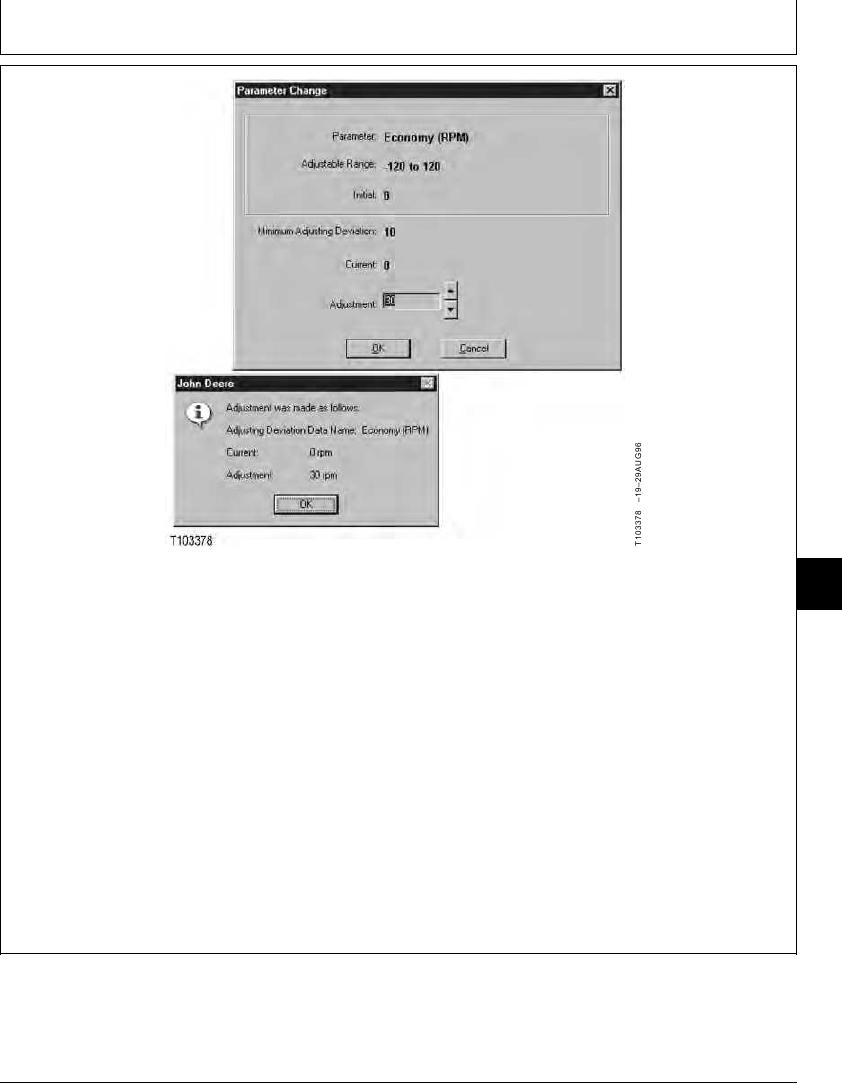
9. Use the up and down cursor keys on keyboard to
11. Click on Exit to close the Special Function
25
change the value which appears in the Adjustment
window.
19
box.
12. Click on Disconnect Toolbar button.
NOTE: Clicking on the up and down arrows next to
box will also change the value.
13. Turn the key switch off.
14. Push learning switch down to the center position
10. Press the Enter key or click OK and the
and wait 10 seconds.
Adjustment was made as follows: window
opens. Confirm the value and then press the Enter
NOTE: Check the Status Bar at bottom of window that
key or click OK button to return to the Adjustable
computer is in Main Mode after connecting.
Parameters.
NOTE: Only one parameter can be change at a time.
15. Start the engine and then check the adjusted
Repeat procedure from Adjustable Parameters
parameter using a tachometer
to adjust additional parameters.
TX,9025,GG2862 1922APR984/4
6-149