

TM 5-2420-232-10
0005
TESTING PARKING BRAKE
0005
WARNING
Before testing the parking brake, ensure the area around the machine is clear of personnel.
Do not use a machine with a faulty parking brake.
If the machine starts to move during the following test, immediately apply the foot brake and
reduce the engine speed. Report the fact to Field Maintenance. Do not use the machine.
Ensure your seat belt is securely fastened before you start the test (WP 0004).
Ensure the foot brake performance is adequate before carrying out this test.
Failure to follow these warnings may result in injury or death to personnel or damage to equipment.
1.
Start engine using procedures beginning on pg. 0005-3.
2.
Select 4WD mode (WP 0004).
3.
Select 2WS mode (WP 0004).
4.
Set the work tools in the travel position.
5.
Ensure the parking brake is applied and the parking brake warning light is ON (WP 0004).
6.
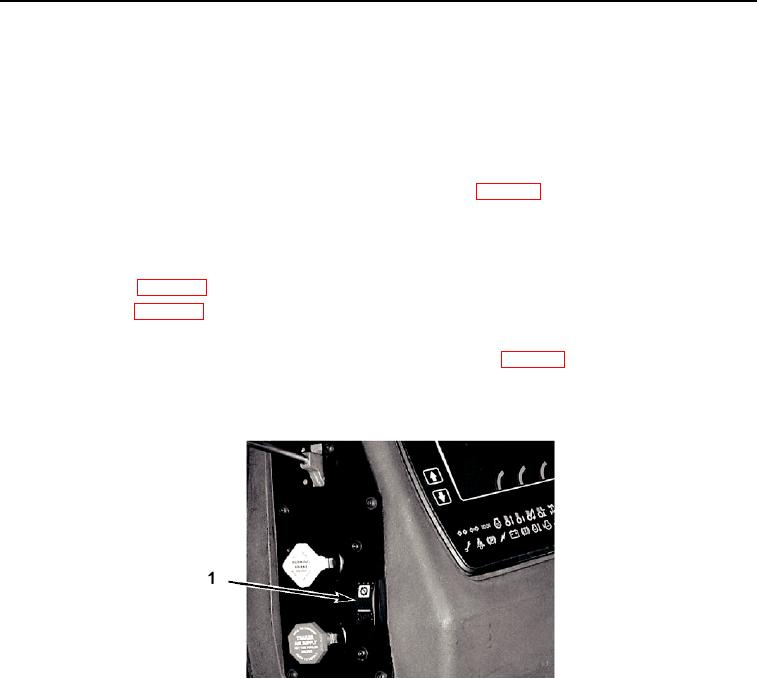
Press and hold the parking brake test switch (Figure 13, Item 1) on the "B" post alongside the parking brake button. The
switch must be held in the ON position for the duration of the test.
435-A0326
Figure 13. Parking Brake Test Switch
05
0005-14