

TM 5-3805-281-24-1
Tests
9025
The Parameter Change window contains:
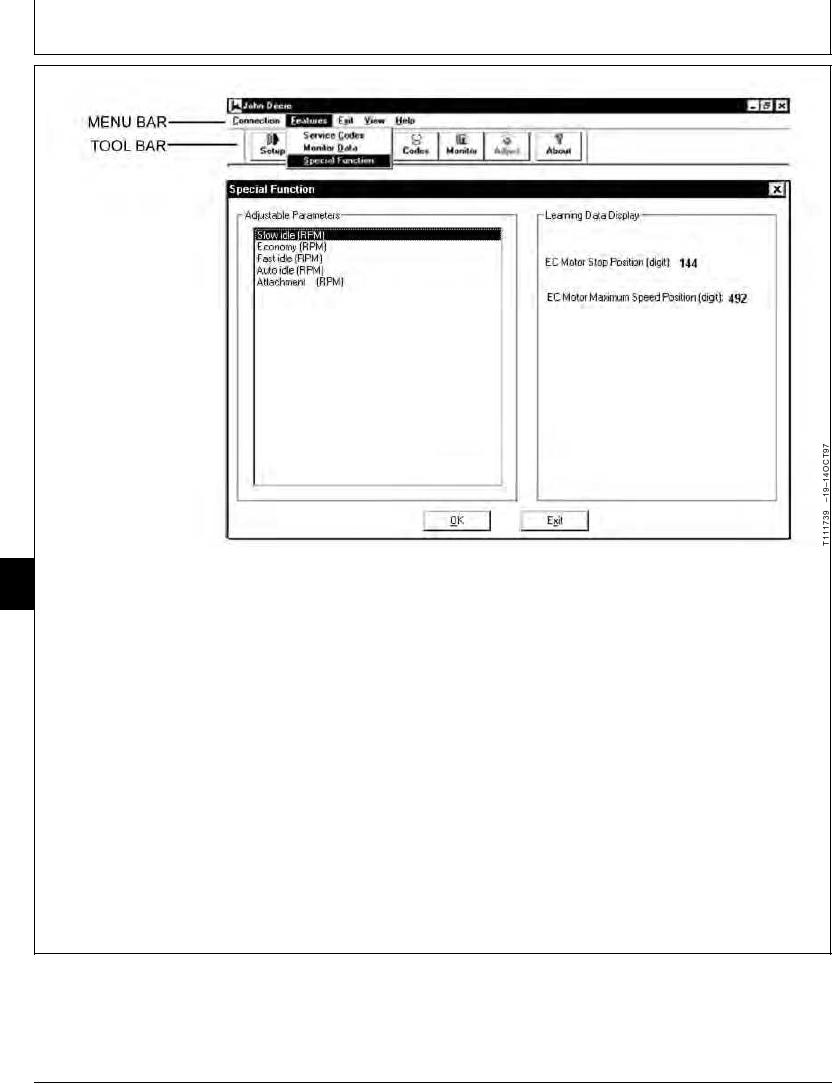
7. Click on the Adjust button on the Toolbar or on the
25
Features drop down menu on the Menu Bar and
20
Parameter (to be changed)
then click on Special Function to open the Special
Adjustable Range
Function window.
Initial (deviation from factory set rpm)
Minimum Adjusting Deviation
The Special Function window allows the user to
Current (deviation from factory setting)
select the Adjustable Parameters for adjustment
Adjustment (were change is made)
and view the values under Learning Data Display.
8. Use the cursor keys to move the highlight to the
parameter you wish to change then press Enter to
bring up the Parameter Change screen.
Continued on next page
TX,9025,GG2862
1922MAY983/4
6-165