

TM 5-3805-281-24-1
Tests
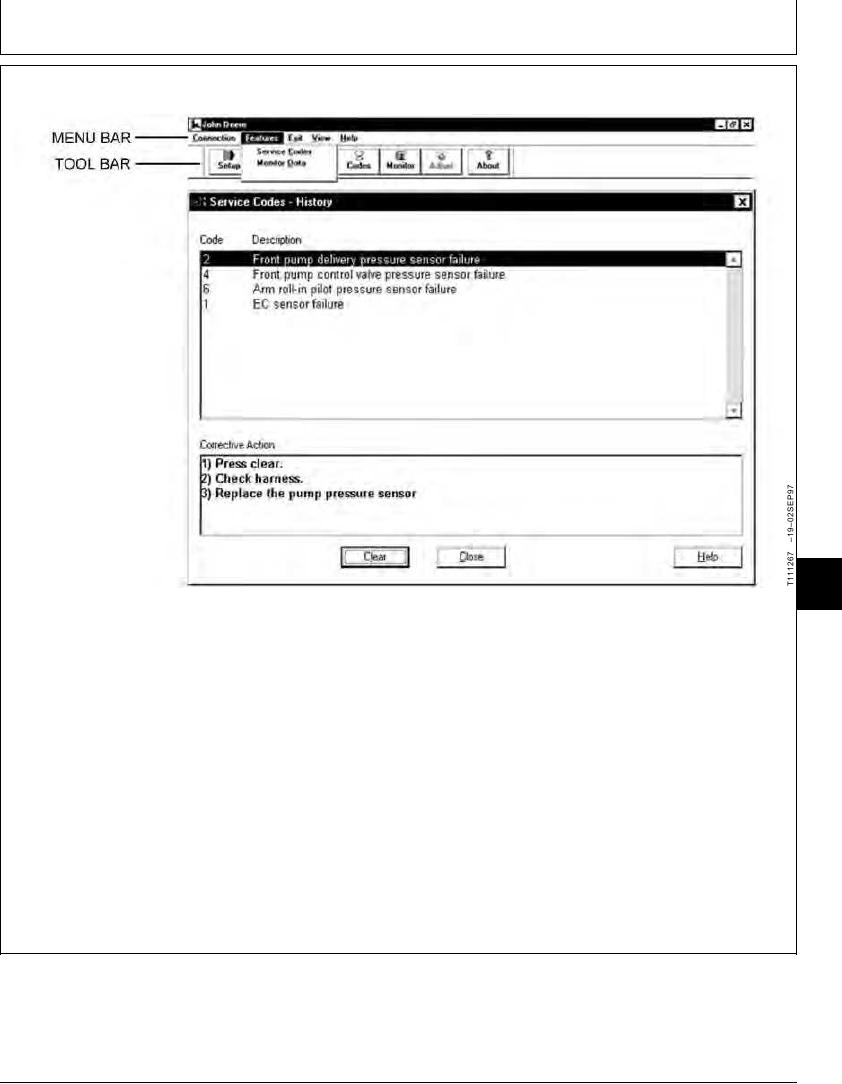
EXCAVATOR DIAGNOSTICS PROGRAM FEATURE--SERVICE CODES
9025
25
13
is selectable and not grayed out. Service
1. Click on the Codes button on Toolbar or on the
Codes-History are requested only once from the
Features drop down menu on the Menu Bar and
engine and pump controller.
then click on Service Codes. (See Excavator
Diagnostics Program List of Service Codes in this
2. After Service Codes-History have been cleared, the
group.)
Service Codes-Current are displayed and updated
periodically--at least 4 samples per minute. Click
The first group of service codes shown is the
on a specific service code to get Corrective Action
Service Codes-History. If there are any codes
window to display diagnostic advice.
found, the option to clear the Service Codes-History
Continued on next page
TX,9025,GG2672 1919NOV971/2