

TM 5-3805-280-24-2
System Controls
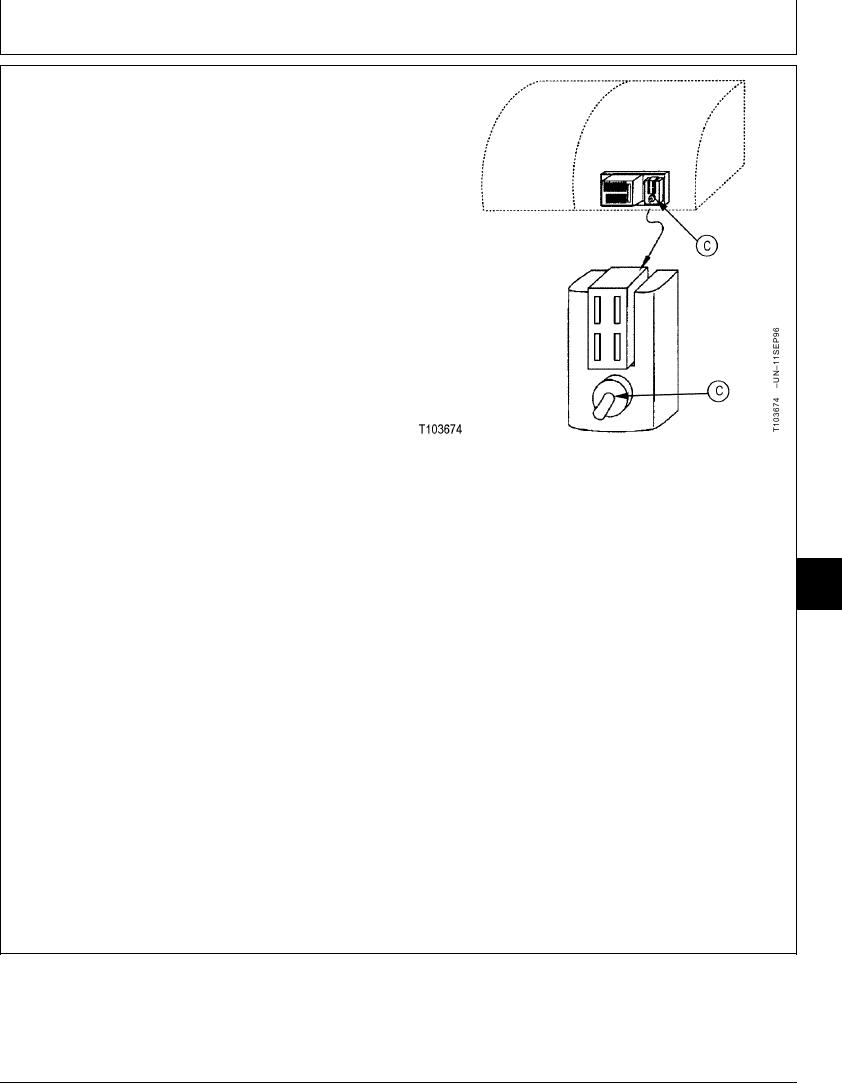
NOTE: The three position switch, protected by an angle
guard, is located just below and behind the
computer test connector.
3. Push engine learning switch (C) up to the TOP
position. The switch is a three-position switch. Make
sure it is in the top position.
4. Turn key switch ON. Wait for 5 seconds.
5. Turn key switch OFF. Wait for 5 seconds.
6. Push engine learning switch to MIDDLE position.
7. Check engine speeds.
Engine Slow Idle--Specification
Speed ................................................................................... 900 25 rpm
Engine Auto-Idle--Specification
A--Engine Learning Switch
Speed ................................................................................. 1200 25 rpm
Engine E (Economy) Mode--Specification
Speed ................................................................................. 1980 25 rpm
Engine Fast Idle in Standard Mode--Specification
16
1675
Speed ................................................................................. 2180 25 rpm
5
NOTE: The laptop computer with the excavator diagnostic
software can be used to change the default
speeds for slow idle, auto-idle, economy mode,
and fast idle in standard mode. See Excavator
Diagnostics Program Special Function--Engine
Speed Adjustment in Group 9025-25.
TX,05,GG2769 1918SEP982/2
16-75