

TM 5-3805-294-10
OPERATOR MAINTENANCE
INSTALLING AND OPERATING THE CRUSH-ALL
INITIAL SETUP:
References (cont.)
Tools and Special Tools
Wrench, Open End, 2 1/2 in. (63.5 mm)
(WP 0095, Table 2, Item 15)
Wrench, Open End, 3 in. (76 mm)
(WP 0095, Table 2, Item 14)
Wrench, Open End, Adjustable 0.95 in. (24 mm)
Equipment Condition
(WP 0095, Table 2, Item 19)
Safely park and shutdown machine. (WP 0009)
Bucket removed. (WP 0014)
Materials/Parts
Rags, Wiping (WP 0097, Table 1, Item 15)
References
INSTALLING CRUSH-ALL
1.
Start machine. (WP 0007)
2.
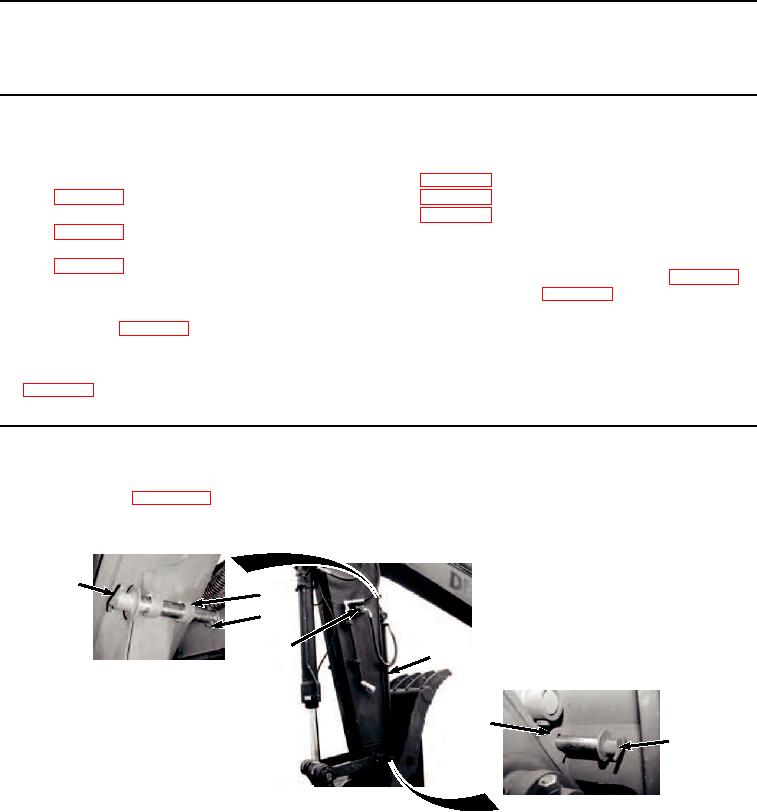
Retract hydraulic thumb cylinder (Figure 1, Item 1).
3
4
2
6
1
5
3
HYEX03392
Figure 1. Close Hydraulic Thumb Circuit.
3.
Remove retaining clip (Figure 1, Item 2) from pin (Figure 1, Item 3).
4.
Remove pin (Figure 1, Item 3) from storage position (Figure 1, Item 4).