

TM 5-3805-294-23-4
0494
REMOVAL
2.
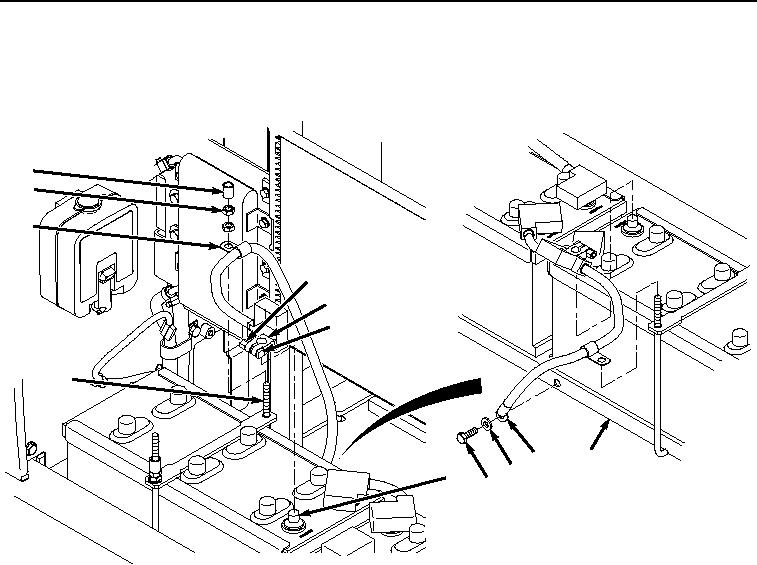
Loosen nut (Figure 2, Item 5) from screw (Figure 2, Item 6) on negative battery terminal clamp (Figure 2, Item
7).
9
10
11
5
7
6
4
15
14
13
8
12
HYEX00186
Figure 2. Negative Battery Cable Removal.
3.
Remove negative battery terminal clamp (Figure 2, Item 7) from negative battery terminal (Figure 2, Item 8).
4.
Remove spacer (Figure 2, Item 9), two nuts (Figure 2, Item 10), and clamp (Figure 2, Item 11) from bolt (Figure
2, Item 4).
5.
Remove screw (Figure 2, Item 12), washer (Figure 2, Item 13), and negative battery cable (Figure 2, Item 14)
from frame (Figure 2, Item 15).
6.
Loosen nut (Figure 3, Item 16) from screw (Figure 3, Item 17) on positive battery terminal clamp (Figure 3,
Item 18).