

TM 5-3805-294-23-4
0519
INSTALLATION - Continued
12.
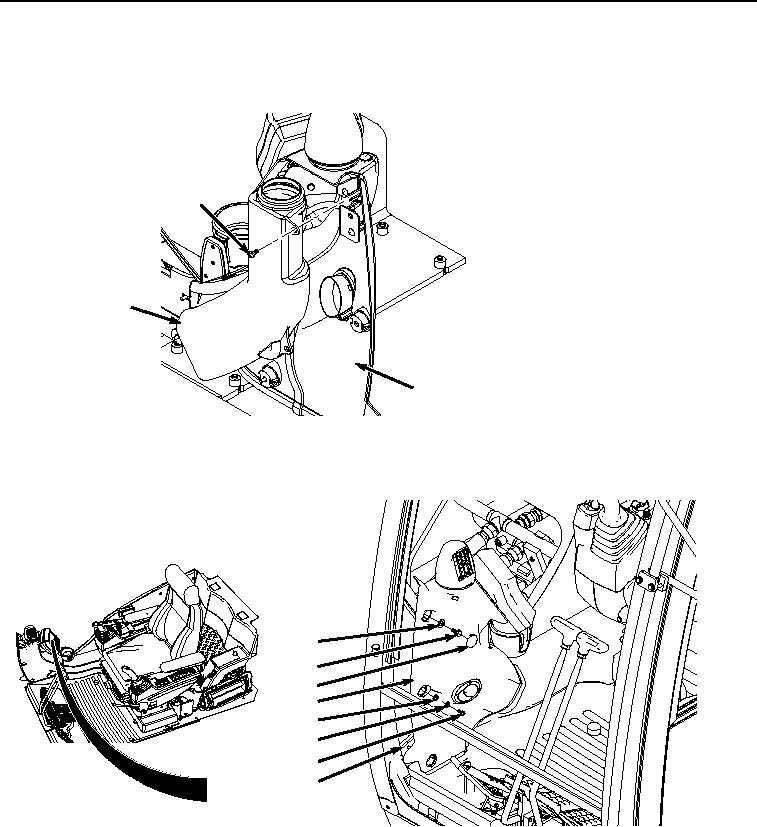
Install air duct (Figure 9, Item 10) to cover (Figure 9, Item 2) with two screws (Figure 9, Item 9).
9
10
2
HYEX00285
Figure 9. Air Duct Installation.
13.
Rotate cover (Figure 10, Item 2) around and toward frame (Figure 10, Item 5).
4
3
1
2
8
7
6
5
HYEX00284
Figure 10.
Monitor Cover Installation.
14.
Install cover (Figure 10, Item 2) to frame (Figure 10, Item 5) with two washers (Figure 10, Item 8), lockwashers
(Figure 10, Item 7), and screws (Figure 10, Item 6).
15.
Install two washers (Figure 10, Item 4) and bolts (Figure 10, Item 3) to frame (Figure 10, Item 5).
16.
Install four caps (Figure 10, Item 1) to cover (Figure 10, Item 2).
END OF TASK