

TM 5-3805-294-23-4
0519
REMOVAL - Continued
4
3
1
2
8
7
6
5
HYEX00284
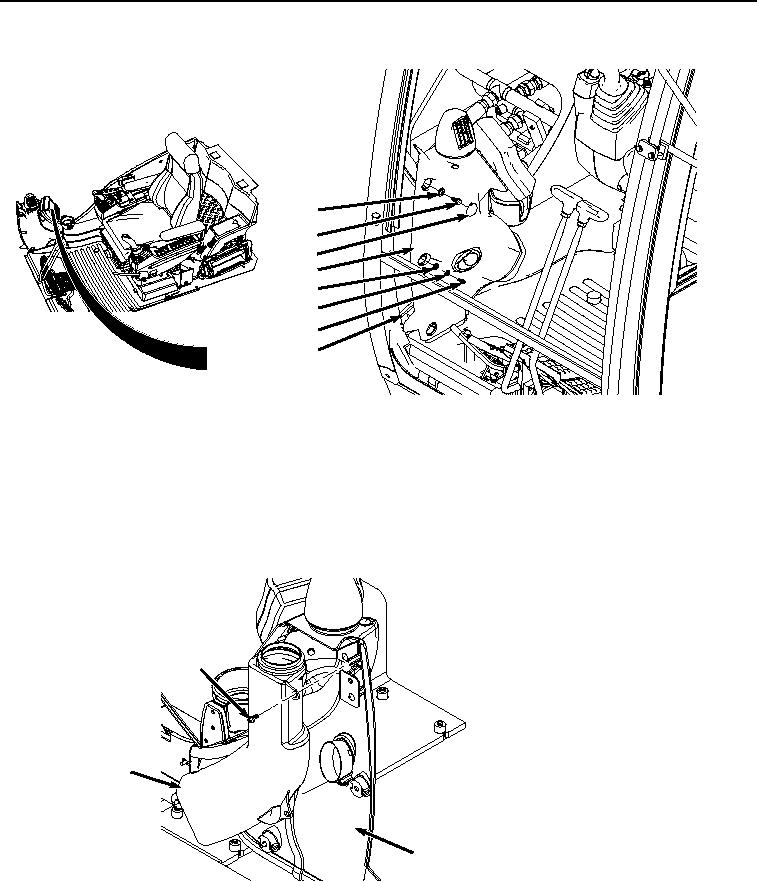
Figure 1. Monitor Cover Removal.
2.
Remove two bolts (Figure 1, Item 3) and washers (Figure 1, Item 4) from frame (Figure 1, Item 5).
3.
Remove two screws (Figure 1, Item 6), lockwashers (Figure 1, Item 7), and washers (Figure 1, Item 8) from
frame (Figure 1, Item 5). Discard lockwashers.
4.
Rotate cover (Figure 1, Item 2) out and away from frame (Figure 1, Item 5).
5.
Remove two screws (Figure 2, Item 9) and air duct (Figure 2, Item 10) from cover (Figure 2, Item 2).
9
10
2
HYEX00285
Figure 2. Air Duct Removal.
6.
Remove two screws (Figure 3, Item 11), lockwashers (Figure 3, Item 12), and washers (Figure 3, Item 13) from
brackets (Figure 3, Item 14) and (Figure 3, Item 15). Discard lockwashers.