

TM 5-3805-294-23-4
0564
UPPER COVER INSTALLATION - Continued
NOTE
Install boot as noted prior to removal.
Install wires, connectors, and wiring harnesses as noted prior to removal.
Install tie wraps as required.
1.
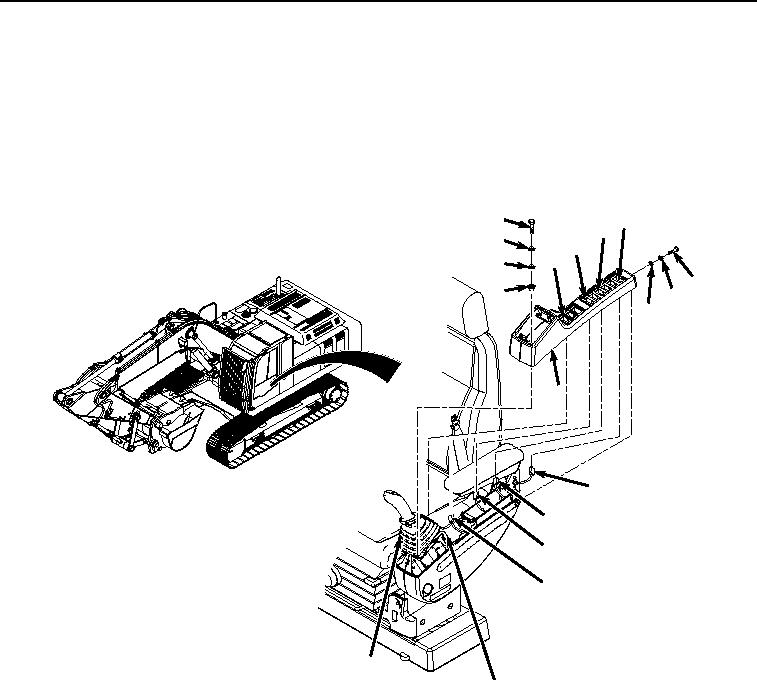
Connect wiring harness connector (Figure 10, Item 17) to fan reversing switch (Figure 10, Item 18).
1
18
16
2
14
12
3
7
4
8
9
6
17
15
13
11
5
10
HYEX00836
Figure 10.
Upper Cover Installation.
2.
Connect wiring harness connector (Figure 10, Item 15) to auxiliary control switch (Figure 10, Item 16).
3.
Connect wiring harness connector (Figure 10, Item 13) to cab rear work lights switch (Figure 10, Item 14).
4.
Connect wiring harness connector (Figure 10, Item 11) to travel alarm cancel switch (Figure 10, Item 12).
5.
Install cover (Figure 10, Item 6) to left-hand console (Figure 10, Item 10).
6.
Install bolt (Figure 10, Item 7), lockwasher (Figure 10, Item 8), and washer (Figure 10, Item 9) to cover (Figure
10, Item 6).
7.
Install four screws (Figure 10, Item 1), lockwashers (Figure 10, Item 2), washers (Figure 10, Item 3), and
spacers (Figure 10, Item 4) to boot (Figure 10, Item 5) and cover (Figure 10, Item 6).
END OF TASK